
Rastro
Rastro: injectable inventory on iPhone
Rastro is an iPhone app for injectors and small practices. Receive toxins and fillers, record usage, and keep quantities, lots, and expiration dates together.
Track toxins, fillers, and package details
A box count is only the beginning. You also need to know which vial is open, how much remains, and which lot it belongs to.
Rastro keeps that information with each package. Record what comes in and what gets used, then check the stock you have left.
Core inventory workflows work offline on one iPhone, without an account. Rastro tracks products, with no patient records.
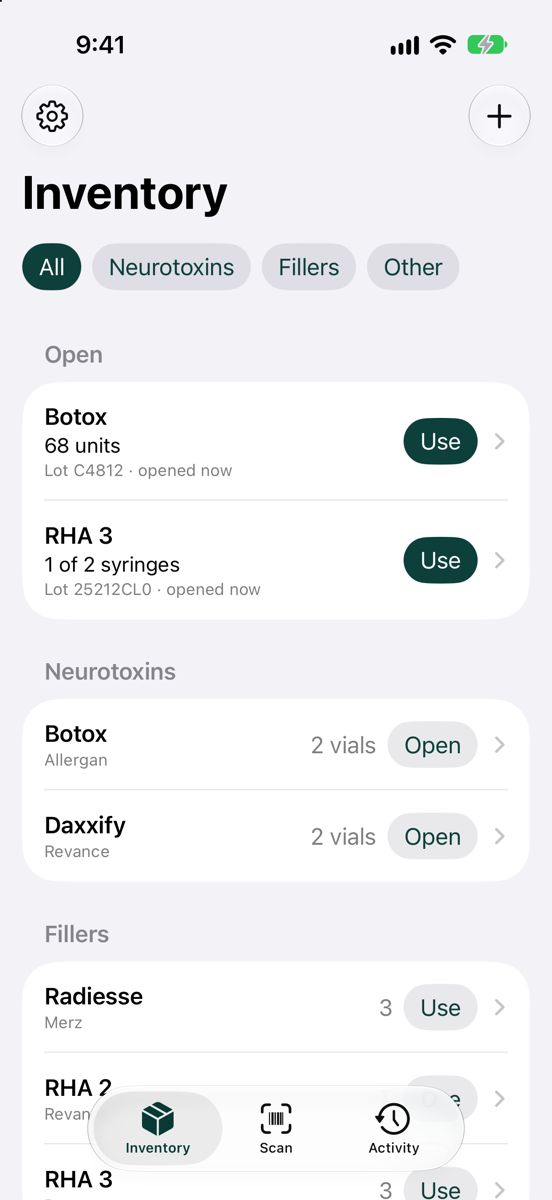
How Rastro manages injectable stock and usage
Scan supported packaging
Read GS1 and HIBCC barcodes. Product, lot, expiration, and serial fields fill in when encoded in the barcode. Enter missing details manually.
Record what you use
Log units from an open toxin vial or record a filler syringe as used. Quantities stay associated with their package and lot.
Review what remains
Check stock, expiration dates, and days of supply based on recorded usage. Review activity when a quantity needs explaining.
Offline inventory, CSV exports, and device limits
Rastro does not sync inventory between phones. Multiple practice locations can be tracked on the same device. You can export inventory and activity to CSV.
See a small-practice workflow or read Rastro’s support information ↗.